

Open Letter templates in the left-hand menu. Profession templates and ACC drafts come with the scribe, on every plan. Prices are on the pricing page. A longer overview is on templates and ACC prefill.
-
Templates for your profession
Set your profession on your account. The list you can choose when you start a consult then includes:
- Six shared notes and letters, for every profession: session or progress note, initial assessment and plan, letter to GP or referrer, discharge summary, onward referral, and school or employer letter (not a medical certificate).
- A profession set, where one exists: physiotherapy, psychology, or counselling and psychotherapy.
- The six doctor letters, if you are a GP or specialist doctor (general new patient, general follow-up, GP referral/update, patient summary, women’s health / menopause, and nutrition).
- ACC32 prior approval request (draft) and ACC45 injury details (draft), if you are a physiotherapist, osteopath or chiropractor.
If no profession is set, you see the six doctor letters only. A clinic can switch a provider template off for its team.
-
ACC32 and ACC45 drafts
When the draft is an ACC32 or ACC45, the review page shows a Paste into ACC ProviderHub panel. Each section has its own Copy button, so you can paste it into the matching part of the form in ProviderHub. You can also download a draft summary as a PDF. The PDF is marked as a draft for ProviderHub, not an ACC form.
Provider details and declarations are completed in ProviderHub. Check every detail before you submit. This is a draft, not an ACC form, and DearDoctor does not send anything to ACC. DearDoctor isn’t connected to or endorsed by ACC.
-
Your writing preferences
On the same page you can save spelling (New Zealand or British English), approved abbreviations, and a short note about writing style. These apply to letters you generate. They do not add medicines, doses or facts, and they do not create a custom template. You can reset them.
-
Your clinic’s own templates
Custom letter types are part of the Clinic plan: the clinic can add its own letter templates. If custom templates are not switched on, Letter templates says so. You still use the shared types and your writing preferences.
When they are switched on, you can name a custom letter type, upload a .docx or a text PDF, paste from Word, or compose one on the page. Older .doc files and scanned PDFs are not accepted. You can mark a section as static wording, kept as written, or as generated from the consult. Save a draft, and preview uses a fictional letter.
Who uses it:
- Only my letters — used for your letters.
- Available to the whole clinic — any doctor can choose it when starting a consult.
- Clinic default — used for doctors with no template of their own.
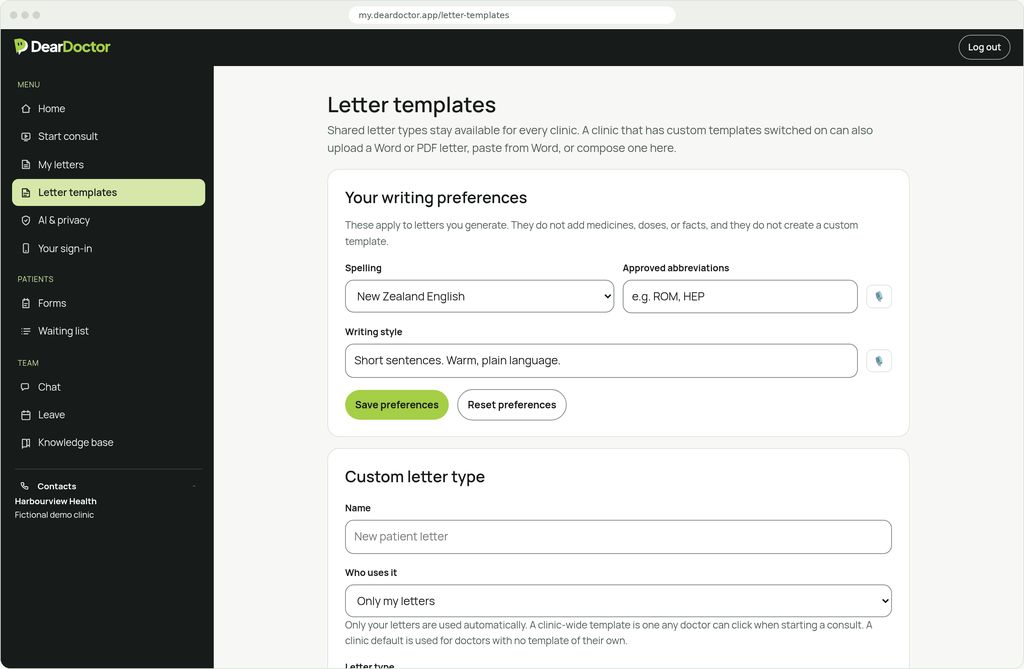
Letter templates: writing preferences, and a custom letter type for a clinic with its own templates switched on. Fictional demo clinic. Not a real patient or clinic record.